One of the first questions businesses ask before running a website audit is whether a free tool is good enough, or whether it's worth paying for something more advanced. It's a fair question. The market is full of both, and the marketing around paid tools often makes free options sound dangerously inadequate, while free tools make paid ones sound unnecessary.
Having audited and fixed many website issues for Singapore businesses over the years, we've used both types extensively, and the honest answer is that neither is universally better. The right choice depends on your website's size, your team's experience, and what you're actually trying to achieve. This guide breaks down what each type does well, where each falls short, and how to decide.
What Counts as a Free SEO Audit Tool?
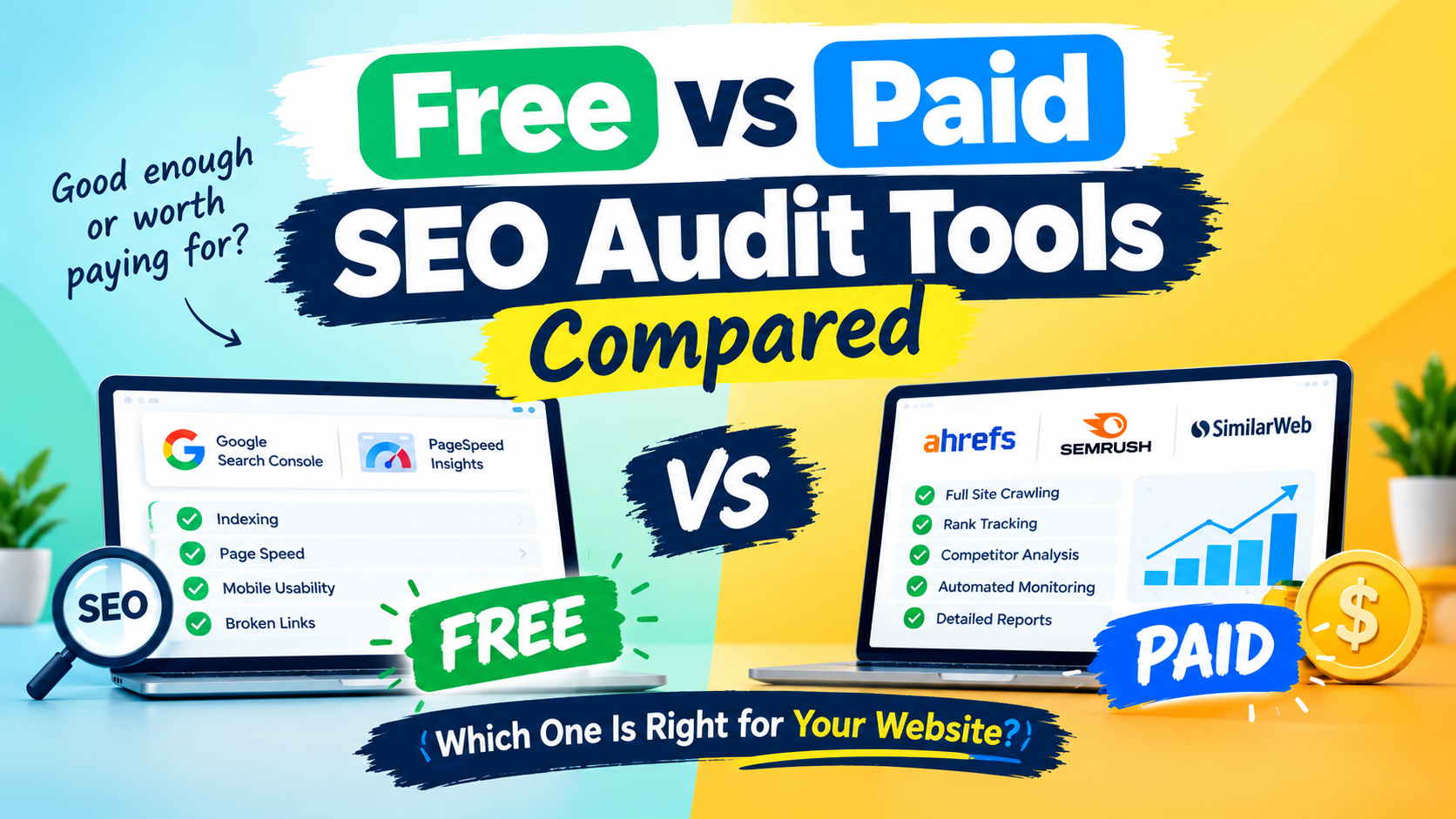
Free SEO audit tools generally fall into two categories. The first is tools provided directly by search engines, such as Google Search Console and Google's PageSpeed Insights. The second is free versions or limited scans from third-party SEO platforms, which typically offer a basic audit as an introduction to their paid product.
The Google-provided tools are valuable precisely because the data comes straight from the source. Google's own Search Central documentation points site owners to Search Console as the primary way to monitor indexing, crawl issues, and search performance, so no audit process should ignore it, regardless of what else you use.
Third-party free tools vary far more in quality. Some provide a genuinely useful snapshot of core issues. Others are essentially lead-generation forms that surface a handful of problems and then hide the rest behind a paywall.
Where Free Tools Work Well
For many small websites, free tools cover more ground than people expect.
They're ideal for getting started. If you've never audited your site before, a free tool gives you a baseline without any financial commitment, which makes it easy to test whether SEO deserves more investment.
They surface the most common issues. Missing title tags, broken links, slow page speed, and mobile usability problems are typically flagged by free tools, and these are exactly the issues that tend to affect smaller sites most.
Google's own tools are authoritative. Search Console data on indexing and search performance reflects what Google itself is seeing, which no third-party tool can fully replicate.
They carry no financial risk. You can run several free tools, compare findings, and discard whatever doesn't prove useful without having spent anything.
For a small website with a few dozen pages, a combination of Search Console, PageSpeed Insights, and one reliable third-party scan can handle the majority of an initial audit.
Where Free Tools Fall Short
The limitations tend to appear as a website grows or as your SEO goals become more ambitious.
Crawl limits. Many free tools cap the number of pages they'll scan, so larger websites only get a partial picture. If a tool only crawls part of your site, the issues it misses may be precisely the ones causing problems.
Limited depth. Free versions often flag that an issue exists without explaining its severity, its cause, or how to fix it. You're left knowing something is wrong but not what to do next.
No ongoing monitoring. Most free tools give you a one-time snapshot. They won't alert you when a new issue appears next month, which is exactly when problems like broken redirects or newly blocked pages tend to surface.
Weak reporting. Free tools rarely offer clean, shareable reports, which becomes frustrating when you need to explain findings to a manager, a client, or a developer.
Hidden paywalls. Some free tools show a long list of issues but lock the details behind a subscription, which can feel more like a sales funnel than an audit.
What Paid SEO Audit Tools Offer
Paid tools generally justify their cost through depth, automation, and continuity.
Full-site crawling. Paid tools typically scan every page rather than a capped sample, which is critical for larger sites, e-commerce stores, and websites with extensive blog archives.
Prioritised, actionable findings. Better paid tools don't just list issues. They rank them by likely impact and often explain how to resolve them, which saves substantial time.
Ongoing monitoring and alerts. Scheduled audits and automatic notifications mean new issues are caught within days rather than discovered months later when traffic has already dropped.
Rank tracking and competitor insight. Many paid platforms bundle keyword position tracking and competitor comparison alongside the audit, giving context that a standalone audit can't.
Professional reporting. Exportable or white-label reports make it easier to communicate findings to stakeholders or clients.
Support. When something in a report is unclear, having access to support or documentation can save hours of guesswork.
Where Paid Tools Fall Short
Paying for a tool doesn't automatically mean better outcomes, and there are real downsides worth acknowledging.
Cost adds up. Subscription pricing can be significant for a small business, particularly when only a fraction of the features will actually be used.
Overwhelming volume. Paid tools tend to surface more issues, and without the experience to prioritise them, businesses can end up paralysed by long lists of low-impact items.
Learning curve. More powerful tools usually come with more complex interfaces, which can slow down teams without SEO experience.
Tool-dependent thinking. Some businesses fall into the habit of treating a high audit score as the goal, rather than actual rankings, traffic, and enquiries.
Free vs Paid: A Side-by-Side Look
Here is how the two compare across the factors that matter most in practice.
Cost: Free tools cost nothing. Paid tools range from affordable monthly plans to enterprise-level pricing.
Site size supported: Free tools suit small sites. Paid tools handle larger sites with thousands of pages.
Depth of analysis: Free tools cover the basics. Paid tools go deeper into technical detail, content analysis, and backlinks.
Ongoing monitoring: Rarely available for free, and usually standard in paid plans.
Reporting: Basic or non-existent for free tools, and polished and shareable in paid ones.
Ease of use: Free tools are often simpler. Paid tools offer more power but more complexity.
Best for: Free suits beginners and small websites. Paid suits growing businesses, agencies, and larger sites.
Why Crawl Limits Matter More Than Price
One of the most overlooked differences between free and paid tools is the page crawl limit. Many free tools only scan a capped number of pages, so a website with 150 pages might only be partially covered. Everything the tool reports can look minor, while duplicate title tags or redirect chains on the unscanned pages go unnoticed.
This is why a clean report from a free tool shouldn't be read as proof that your site is healthy. It may only be proof that the tool didn't reach the problem areas. Before trusting any audit, check how many pages were actually scanned and compare that number against the total pages on your site.
The takeaway isn't that free tools are bad. Matching the tool to the size and complexity of your website matters far more than the price tag.
What to Look for Before Choosing a Tool
Whether you're comparing free or paid options, a few questions help separate genuinely useful tools from those that simply generate long lists.
How many pages does it crawl? Confirm the limit and check it against your site size.
Does it explain issues in plain language? A tool that tells you what's wrong, why it matters, and how to fix it is far more useful than one that only lists error codes.
Does it prioritise findings? Without a clear sense of what matters most, every issue looks equally urgent.
Does it check mobile separately? Since most searches happen on mobile, mobile-specific issues should be captured.
Is it actively maintained? Ranking factors and best practices evolve, and an outdated tool can lead to misplaced priorities.
Can you track changes over time? Being able to compare this month's audit against last month's is more valuable than any single score.
Which Should Singapore SMEs Choose?
For most Singapore SMEs, the answer isn't strictly one or the other.
Free tools are usually enough if:
Your website has fewer than roughly 50 to 100 pages
You're running your first-ever audit and want a baseline
Your budget is limited and you're comfortable doing some interpretation yourself
You mainly need to monitor indexing and performance, where Search Console already excels
Consider paid tools if:
Your website is larger, or growing quickly
You manage multiple websites or clients
You need regular automated monitoring rather than occasional manual checks
You lack the time or experience to interpret raw data and want clearer prioritisation
You need reports to share with a team, client, or management
A hybrid approach often works best. Many businesses use Search Console and PageSpeed Insights as a constant free baseline, then bring in a paid tool or professional audit every few months for a deeper full-site review. This keeps costs reasonable while avoiding the blind spots free tools leave on larger sites.
Common Mistakes When Choosing an Audit Tool
A few patterns come up repeatedly when businesses pick a tool.
Choosing on price alone. The cheapest option and the most expensive option can both be wrong for your site. Fit matters more than cost.
Comparing scores across tools. Each tool uses its own scoring system, so a score of 75 on one platform isn't comparable with 75 on another. Track your score over time within a single tool instead.
Paying for features you won't use. If you only need a periodic health check, a platform bundled with rank tracking, backlink analysis, and content tools may be more than you need.
Treating the audit as the finish line. A tool only identifies issues. Rankings improve when those issues are actually fixed, which is why prioritisation and follow-through matter more than the tool itself.
How to Get the Most Out of Any Audit Tool
Whichever type you choose, a few habits make the difference between a useful audit and a forgotten report.
Prioritise by impact, not volume. Fix issues on your most important pages first.
Track changes over time within the same tool. Consistency in measurement matters more than the number itself.
Re-audit after making fixes. Confirm that changes actually resolved the problem.
Combine tool data with human judgement. No tool, free or paid, can fully assess whether your content genuinely serves what searchers want.
The businesses that see the best results are rarely the ones with the most expensive tools. They're the ones that act consistently on a manageable list of priorities.
Final Thoughts
Free and paid SEO audit tools both have a place. Free tools are an excellent starting point and remain useful as an ongoing baseline, while paid tools earn their cost once a website grows complex enough that crawl limits, monitoring, and prioritisation start to matter. The smartest approach is to match the tool to your actual needs rather than assuming that more expensive automatically means better.
If you're unsure where to start, Surch's self-serve Website Audit Tool is built to give Singapore businesses clear, prioritised findings without the overwhelming volume many tools produce. And if you'd rather have hands-on expertise, our team has audited and fixed website issues for businesses across industries in Singapore, from e-commerce to professional services, and can help you decide what your website genuinely needs.
Frequently Asked Questions
1. Are free SEO audit tools accurate?
Generally yes for the issues they cover, particularly Google's own tools, which draw directly from Google's data. The limitation is usually scope rather than accuracy, since many free tools cap the number of pages they scan or hide detailed findings behind a paywall.
2. Is it worth paying for an SEO audit tool as a small business?
It depends on your website's size and your needs. For small sites with a limited number of pages, free tools often suffice. Paid tools become more worthwhile as your site grows, or when you need ongoing monitoring and clearer prioritisation of issues.
3. Can I use both free and paid tools together?
Yes, and many businesses do. A common approach is using free tools like Google Search Console for continuous monitoring, then running a deeper paid or professional audit every few months to catch issues free tools might miss.
4. Why do free and paid tools give different results for the same website?
Each tool uses its own crawling method, scoring system, and criteria for what counts as an issue. Differences in page limits and depth of analysis also lead to varying results, so it's best to compare changes over time within one tool rather than across different ones.
5. Will a paid tool improve my rankings automatically?
No. An audit tool only identifies issues. Rankings improve when those issues are actually fixed and when your content and backlinks support your target keywords. The value of any tool lies in how well the findings are acted on.