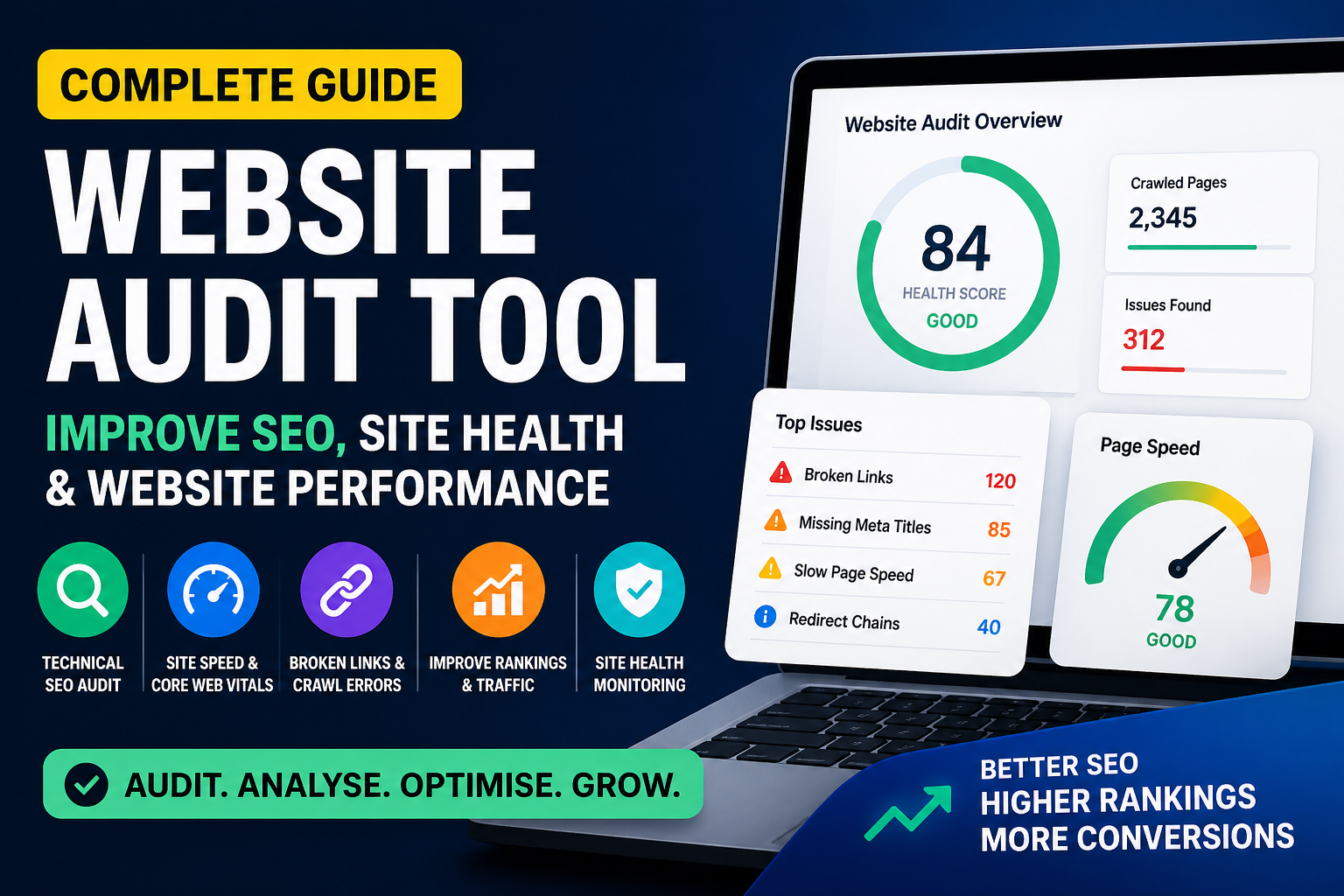
A website may look visually appealing and function correctly, but hidden technical issues can silently affect rankings, traffic, and conversions.
Broken links, slow-loading pages, duplicate metadata, crawl errors, weak internal linking, and poor Core Web Vitals are some of the most common reasons websites may struggle to rank despite having quality content and backlinks.
This is where a website audit tool becomes essential.
A website audit tool helps analyse your site’s technical health, uncover SEO issues, and identify opportunities to improve rankings, user experience, and overall website performance.
Whether you manage a business website, eCommerce store, agency website, or blog, regular technical SEO audits help maintain search visibility and minimise ranking losses.
The Surch Website Audit Tool enables businesses to run complete technical SEO audits, monitor website health, track rankings, and improve performance through a single dashboard.
What Is a Website Audit Tool?
A website audit tool is software designed to crawl and analyse a website to detect technical SEO, on-page SEO, and performance-related issues.
It works similarly to search engine crawlers by scanning pages and identifying errors that may affect website performance in search results.
A website audit tool typically checks:
Broken links
404 errors
Redirect chains
Page speed
Mobile usability
Core Web Vitals
Missing meta titles
Duplicate metadata
Indexability issues
Crawl errors
HTTPS issues
Internal linking problems
Image optimisation
Instead of manually reviewing hundreds of pages, website audit tools automate technical analysis and provide prioritised recommendations.
Why Technical SEO Audits Matter
Technical SEO is the foundation of website performance.
Without strong technical health, even well-written content and quality backlinks may struggle to perform effectively in search engines.
A technical SEO audit helps businesses:
Improve crawlability
Increase indexation efficiency
Reduce technical errors
Improve page speed
Strengthen internal linking
Improve mobile usability
Resolve security issues
Key benefits include:
Higher rankings
Better user experience
Lower bounce rates
Increased conversions
Technical SEO can be viewed as preventative maintenance for your website.
Common Website SEO Issues Found During Audits
Most websites contain technical issues that may impact search visibility and performance.
Broken Links
Broken links negatively affect both users and search engines.
Common issues include:
Broken internal links
Broken external links
Deleted URLs
Impact:
Poor user experience
Wasted crawl budget
Reduced authority flow
Duplicate Content
Duplicate content can create confusion for search engines.
Common causes include:
Parameter URLs
Pagination issues
Product variations
Copied content
Impact:
Ranking dilution
Crawl inefficiency
Missing Metadata
Metadata issues commonly include:
Missing titles
Duplicate titles
Missing descriptions
Impact:
Lower click-through rates
Weak keyword relevance
Slow Page Speed
Slow-loading pages can reduce both rankings and conversions.
Common causes include:
Large images
Unoptimised code
Heavy scripts
Poor hosting
Impact:
Higher bounce rates
Poor Core Web Vitals performance
Indexability Issues
Pages cannot rank if they are not indexable.
Common issues include:
Noindex tags
Blocked pages
Canonical conflicts
Orphan pages
Weak Internal Linking
Poor internal linking reduces crawl efficiency and impacts website structure.
Common issues include:
Orphan pages
Weak anchor text
Broken links
HTTPS Problems
Security-related issues include:
Non-HTTPS pages
Mixed content
Search engines prioritise secure websites as part of user trust and website quality.
Website Audit Checklist
A complete SEO audit should include the following:
Technical SEO Checklist
Check broken links
Review redirects
Audit XML sitemap
Review robots.txt
Check canonical tags
Validate HTTPS
Audit structured data
On-Page SEO Checklist
Review titles
Check meta descriptions
Audit headings
Check duplicate content
Review image alt text
Performance Checklist
Check Core Web Vitals
Review mobile usability
Test page speed
Analyse server response times
Crawlability Checklist
Review indexable pages
Check crawl depth
Identify orphan pages
Best Website Audit Tools
1. Surch Website Audit Tool
The Surch Website Audit Tool is an all-in-one platform designed for businesses, agencies, and SEO professionals.
Unlike tools that focus only on technical audits, Surch combines technical SEO analysis with broader SEO management capabilities.
Features include:
Website Health Score
Broken link detection
Core Web Vitals analysis
HTTPS monitoring
Meta audits
Crawlability reports
Internal linking analysis
Image optimisation checks
Real-time scanning
Additional SEO features include:
Rank tracking
Mobile rank checker
AI-powered SEO insights
Competitor analysis
Reporting dashboards
White-label reports
Scheduled reporting
Affordable Pricing
One of the key advantages of Surch is its cost-effective pricing structure compared to many enterprise SEO tools.
Surch offers scalable pricing plans suitable for businesses at different stages of growth.
Lite Plan
Suitable for freelancers and small businesses.
Includes:
3 projects
500 keywords
Competitor tracking
3 team members
Pro Plan
Suitable for growing agencies and marketing teams.
Includes:
10 projects
2,000 keywords
White-label reports
Scheduled reports
CRM tools
Ultra Plan
Suitable for larger teams and agencies managing multiple clients.
Includes:
Unlimited projects
5,000 keywords
API integration
20 team members
This makes Surch a practical solution for both small businesses and growing agencies seeking affordable SEO management tools.
2. Semrush Site Audit
Semrush is widely used for technical SEO and digital marketing analysis.
Features include:
Site health reports
Technical audits
Crawl analysis
Suitable for enterprise users and larger marketing teams.
3. Ahrefs Site Audit
Ahrefs combines technical audits with backlink analysis.
Features include:
Crawl reports
Link analysis
Technical recommendations
Suitable for SEO professionals requiring both technical and backlink insights.
4. Screaming Frog SEO Spider
Screaming Frog is an advanced desktop crawler.
Features include:
Broken link detection
Redirect analysis
Canonical checks
Sitemap analysis
Best suited for technical SEO specialists.
5. Google Search Console
Google Search Console is a free SEO monitoring tool.
Features include:
Indexing reports
URL inspection
Performance reports
Essential for all website owners.
How to Perform a Website Audit
Step 1: Crawl the website
Step 2: Review critical issues
Step 3: Resolve broken links
Step 4: Improve metadata
Step 5: Optimise page speed
Step 6: Review indexability
Step 7: Strengthen internal linking
Step 8: Re-crawl the website
It is recommended to run website audits regularly:
Monthly
After migrations
After redesigns
After major updates
How to Choose the Right Website Audit Tool
When selecting a website audit tool, consider the following:
Website Size
Larger websites require stronger crawl capacity and more advanced reporting.
Budget
Free tools are suitable for basic monitoring, while paid tools provide:
Automation
Ongoing monitoring
Reporting features
Business Goals
Consider whether you require:
Rank tracking
Audit-only functionality
Agency reporting features
Competitor monitoring
Choose a solution that aligns with your operational requirements.
Free vs Paid Website Audit Tools
Free Tools
Pros:
Free to use
Beginner-friendly
Cons:
Limited features
Smaller crawl capacity
Example:
Google Search Console
Paid Tools
Pros:
Deeper technical analysis
Automation
Reporting capabilities
Competitor insights
Examples:
Surch
Semrush
Ahrefs
Paid tools are generally more suitable for businesses actively investing in SEO growth.
Frequently Asked Questions
1. What is the best website audit tool?
Popular website audit tools include Surch Website Audit Tool, Semrush, Ahrefs, Screaming Frog, and Google Search Console. The best solution depends on your business needs, technical requirements, and budget.
2. How often should I run a website audit?
It is recommended to run a website audit at least once a month or after significant website changes such as redesigns, migrations, or major content updates.
3. Why is a website audit important for SEO?
A website audit helps identify technical SEO issues such as broken links, crawl errors, slow-loading pages, duplicate content, and indexing issues that may affect rankings and traffic.
4. Can I perform a website audit without technical knowledge?
Yes. Many website audit tools provide user-friendly dashboards and recommendations, making it easier for non-technical users to identify and address common SEO issues.
5. What does a website audit tool check?
A website audit tool typically checks:
Broken links
Redirect issues
Meta titles and descriptions
Page speed
Mobile usability
Core Web Vitals
Indexability
HTTPS security
Internal linking structure
6. Are free website audit tools sufficient?
Free tools such as Google Search Console are suitable for basic SEO monitoring. However, paid tools offer more advanced analysis, automation, reporting, and competitor insights.
7. What are the most common issues found during a website audit?
Common issues include:
Broken links
Missing metadata
Slow-loading pages
Duplicate content
Redirect chains
Indexing issues
Weak internal linking
8. How long does a website audit take?
A website audit may take anywhere from a few minutes to several hours depending on website size, number of pages, and audit depth.
9. Can a website audit improve search rankings?
Yes. Resolving issues identified during an audit can improve crawlability, indexability, page speed, and user experience, which may positively influence rankings.
10. What is a website health score?
A website health score is an overall rating provided by audit tools that reflects your website’s technical condition based on detected issues.
11. Which website audit tool is best for agencies?
Agencies typically prefer tools offering reporting, white-label features, rank tracking, and multi-project management, such as Surch Website Audit Tool, Semrush, and Ahrefs.
12. Does Surch Website Audit Tool offer more than technical audits?
Yes. In addition to technical SEO audits, Surch also offers rank tracking, competitor analysis, reporting dashboards, AI-powered insights, and website performance monitoring within a single platform.
Final Thoughts
A technically healthy website is essential for sustainable SEO growth.
Without regular audits, websites may accumulate hidden issues that negatively affect:
Rankings
Traffic
Conversions
User experience
A website audit tool helps businesses identify and resolve technical issues before they affect performance.
The Surch Website Audit Tool combines:
Technical audits
Health monitoring
Rank tracking
Reporting
AI insights
Competitor analysis
into one affordable SEO platform designed for businesses and agencies.
Run a website audit with Surch to improve technical SEO, website performance, and search visibility.