
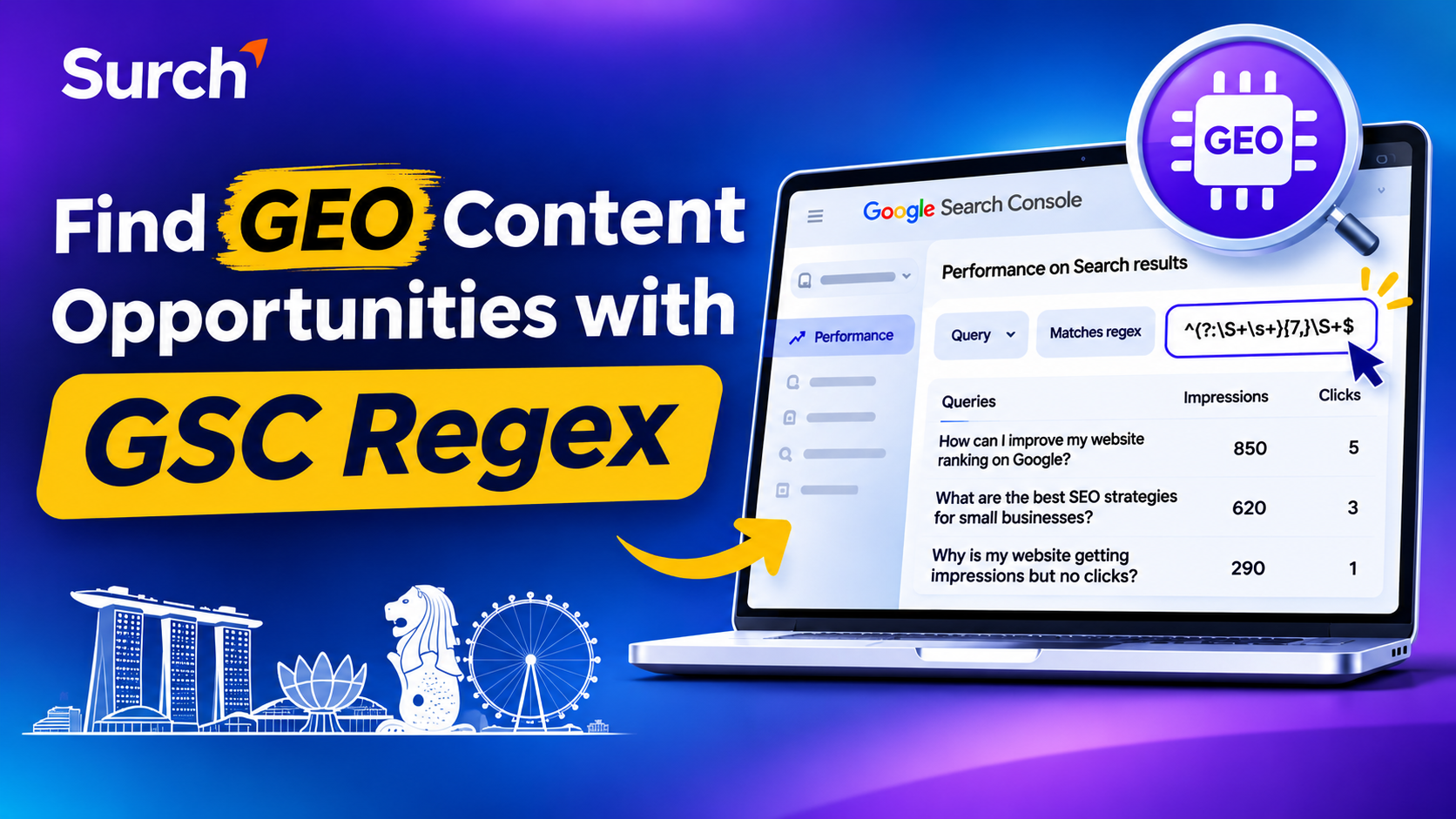
enerative Engine Optimisation (GEO) is changing how businesses think about online visibility. People are no longer relying exclusively on short keywords when searching for information. They increasingly use detailed questions, conversational phrases and specific prompts to find answers.
For website owners and SEO professionals, this creates an opportunity: your website may already be appearing in Google Search for detailed queries that reveal what your audience wants to know. However, these opportunities can be difficult to identify when analysing hundreds or thousands of search queries individually.
One practical way to uncover them is by using a regular expression (regex) filter in Google Search Console (GSC).
A simple regex pattern can filter search queries containing eight or more words, helping you identify longer, conversational searches that deserve further investigation. You can then evaluate their impressions, clicks, landing pages and search intent to discover content optimisation opportunities.
In this guide, we explain how the technique works, how to implement it and how to use the resulting insights to strengthen your SEO and GEO strategy.
What Is the Google Search Console Regex Technique?
Google Search Console provides performance data showing the queries people used before your website appeared in Google Search.
Its Performance report includes information such as:
Clicks: How many times users clicked your website from search results.
Impressions: How often your website appeared in search results.
Average CTR: The percentage of impressions that resulted in clicks.
Average position: The average position of your website's highest-ranking result for the selected data.
Although these metrics are useful, reviewing every query manually can take considerable time.
Regex, short for regular expression, allows you to create a pattern that filters queries according to specific conditions.
For example, you can use a regex pattern to identify search queries containing at least eight words. These longer queries may include detailed questions, conversational searches and specific information requests.
This is useful because longer queries can reveal more context about the user's intent than broad keywords.
Important: The filter identifies queries based on their word count. It does not automatically identify AI prompts, GEO queries or searches that triggered an AI-generated result. You must review the filtered queries to determine which ones are relevant to your content strategy.
How to Find Long-Tail Search Queries Using Google Search Console Regex
You do not need a paid SEO tool to try this technique. You can start with your existing Google Search Console account.
Follow these steps.
Step 1: Open Google Search Console
Log in to your Google Search Console account and select the website property you want to analyse.
Make sure you select the correct property, particularly if your website has separate domain and URL-prefix properties.
Step 2: Open the Performance Report
From the left-hand navigation menu, go to:
Performance → Search results
This report provides information about how your website performs in Google organic search.
For a useful initial analysis, select a date range of three months. If your website receives limited search impressions, consider extending the period to six or twelve months.
You can also compare two periods to identify changes in search visibility.
Step 3: Add a Query Filter
At the top of the Performance report:
Click + Add filter.
Select Query.
Choose Custom (regex).
Select Matches regex.
Enter the following expression.
^(?:\S+\s+){7,}\S+$
Apply the filter to display matching queries.
Step 4: Review the Filtered Queries
Google Search Console will now show queries matching the pattern.
These are searches containing at least eight whitespace-separated words.
For example, you might discover queries such as:
How can I improve my website ranking on Google?
What are the best SEO strategies for small businesses?
How do I check which keywords my website ranks for?
Why is my website getting impressions but no clicks?
These examples demonstrate the type of conversational queries you may find. They are illustrative, not actual Search Console results.
Not every query will be relevant to your business. Review the results and identify searches that connect with your products, services, audience and existing website content.
Understanding the Regex Pattern
The expression may look complicated if you have never worked with regular expressions. However, each part performs a specific function.
^(?:\S+\s+){7,}\S+$
Here is what each component means:
| Regex component | Explanation |
|---|---|
| ^ | Matches the beginning of the query |
| (?:...) | Creates a non-capturing group |
| \S+ | Matches one or more non-whitespace characters |
| \s+ | Matches one or more whitespace characters |
| {7,} | Repeats the preceding group at least seven times |
| \S+ | Matches the final word |
| $ | Matches the end of the query |
Together, these components identify queries containing at least eight whitespace-separated words.
For example:
"best seo agency in singapore" – does not match because it contains fewer than eight words.
"how can I improve my website ranking on Google" – matches because it contains eight words.
"what are the best seo strategies for small businesses" – matches because it contains nine words.
The pattern is designed to capture longer searches, not to classify their intent.
Google Search Console supports regular expression filters using RE2 syntax. You can read more in Google's documentation on advanced filtering in the Performance report.
How to Identify GEO Opportunities From These Queries
Finding long-tail queries is only the first step. The real value comes from understanding what those searches tell you about your audience.
GEO focuses on improving how your brand and content can be discovered across generative search experiences. However, a long-tail query in Search Console is not proof that an AI platform has referenced your website.
Instead, use the queries as research signals to understand the questions your audience is already asking.
For a broader understanding of how traditional search optimisation and generative search visibility differ, read our guide to GEO vs SEO.
Here is how to evaluate the queries.
1. Identify Conversational and Question-Based Queries
Start by reviewing the filtered queries and looking for question-based phrases.
Common question modifiers include:
How
What
Why
Where
When
Which
Can
Should
Does
For example, a digital marketing agency might find queries related to:
How can a small business improve its Google rankings?
Which SEO activities should businesses prioritise?
Why is my website traffic decreasing despite ranking improvements?
How can I measure the performance of an SEO campaign?
These searches reveal specific information needs.
Group similar queries into topics instead of creating a separate article for every variation.
2. Prioritise Queries With High Impressions and Low Clicks
One of the most useful ways to evaluate opportunities is by comparing impressions and clicks.
Queries with high impressions but low clicks deserve investigation because your website is already appearing in search results, but users are not clicking frequently.
However, low clicks do not automatically mean that the content is poor. The reason could be the search position, search intent, SERP features, competition or the wording of your title and description.
Consider this illustrative example:
| Search query | Impressions | Clicks | Possible opportunity |
|---|---|---|---|
| How can I improve my website ranking on Google? | 850 | 5 | Improve the answer and search snippet |
| What are the best SEO strategies for small businesses? | 620 | 3 | Review content relevance and depth |
| How do I check which keywords my website ranks for? | 410 | 2 | Improve the relevant tutorial |
| Why is my website getting impressions but no clicks? | 290 | 1 | Address the specific search intent |
Note: These figures are illustrative examples, not actual Surch or client performance data.
Prioritise queries that have meaningful impressions, relevant intent and a suitable page to optimise.
3. Find the Existing Page Ranking for Each Query
Do not immediately create a new blog post for every opportunity.
First, identify which existing page receives impressions for the query.
In Google Search Console:
Apply the long-tail regex filter.
Open the Queries tab.
Select an interesting query.
Open the Pages tab.
Identify the URL associated with that query.
This helps you understand whether the query is already associated with a relevant blog post, service page or product page.
For example, if a page about website audits already receives impressions for a question about identifying technical SEO errors, you may be able to improve that page rather than publishing another article on the same subject.
You can also explore our guide to finding and fixing common SEO errors identified during a website audit to understand how existing SEO issues can be addressed.
This approach can help prevent unnecessary content duplication and keyword cannibalisation.
4. Add a Direct Answer to the Existing Page
Once you identify a relevant query and landing page, review whether the page answers the user's question clearly.
If the answer is missing or difficult to find, consider adding a dedicated section.
For example:
Search query: How can I check why my website rankings dropped?
A useful section could begin with:
"To identify why your website rankings dropped, review Google Search Console's Performance report and compare clicks, impressions, average position and affected pages across two periods. Then check for indexing issues, technical changes, content relevance and recent search algorithm updates."
After the direct answer, expand with the practical steps, supporting explanations and relevant examples.
A useful answer should address the question accurately and provide enough context for readers to understand what to do next.
Do not add content simply to include more questions. Every new section should provide genuine value.
How to Optimise Existing Content for GEO
Once you have identified relevant long-tail queries, use them to improve your existing pages.
The following practices can help make your content more useful, understandable and accessible.
Use Clear Question-Based Headings
Where appropriate, use headings that reflect the questions your audience is asking.
For example:
How Can You Check Your Website's Google Rankings?
Why Are Your Website Impressions Increasing but Clicks Decreasing?
Which SEO Metrics Should Small Businesses Monitor?
These headings help readers navigate the page and understand what each section covers.
Avoid forcing exact-match questions into every heading. Use natural language and maintain a logical content structure.
Provide Direct and Complete Answers
Answer the main question near the beginning of the relevant section.
Then provide supporting information, examples, steps and important limitations.
For instance, if the question is about improving website rankings, explain which actions are relevant and why. Avoid generic statements such as "publish quality content" without explaining what quality means in that particular context.
Include Practical Examples
Examples make technical explanations easier to understand.
When discussing SEO performance, you could explain how to compare two periods in Search Console, investigate a page losing impressions or identify queries with poor click-through rates.
Use real website data, screenshots or documented observations wherever available.
If you use hypothetical examples, label them clearly as illustrative.
Keep Content Accurate and Updated
Review technical recommendations, statistics, product details and external references before publishing.
If a Google feature changes, update the relevant instructions.
For GEO-related content, avoid promising that a particular heading structure, FAQ section or content format will guarantee visibility in AI-generated answers.
Google's guidance continues to emphasise foundational SEO practices and helpful, reliable, people-first content. It does not require a separate set of special optimisations for inclusion in AI Overviews or AI Mode.
You can review Google's official guidance in AI Features and Your Website.
If you want to understand how AI-related traffic can be monitored, explore our guide to tracking AI traffic in Google Search Console.
Additional Regex Filters Worth Testing
The eight-word filter is a useful starting point, but you can explore other query patterns to investigate different types of search intent.
Here are a few examples:
| Purpose | Regex pattern |
|---|---|
| Queries starting with how | ^how\b |
| Queries starting with what | ^what\b |
| Queries starting with why | ^why\b |
| Queries starting with where | ^where\b |
| Queries starting with which | ^which\b |
| Queries starting with can | ^can\b |
| Queries starting with should | ^should\b |
You can enter these patterns through the same Query → Custom (regex) filter.
For example, the ^how\b pattern identifies queries beginning with the word "how".
You can also combine alternatives. For example:
^(how|what|why|where|which)\b
This identifies queries beginning with one of those five question words.
These patterns are not exhaustive. They will miss questions phrased differently, and they do not identify every conversational search.
Use them as additional discovery filters rather than complete representations of user intent.
Common Mistakes to Avoid When Using GSC Regex for GEO
The technique is simple, but interpreting the results incorrectly can lead to poor content decisions.
1. Assuming Every Long Query Is an AI Prompt
A query containing eight or more words may be a normal informational search, a branded search or a highly specific transactional query.
Review its meaning before classifying it as a GEO opportunity.
2. Creating a New Blog Post for Every Query
Several long-tail queries may express the same search intent.
Publishing separate articles for every variation can create overlapping content and make it harder to maintain a clear website structure.
Group related queries and determine whether an existing page can satisfy them.
3. Ignoring Search Intent
A query with high impressions and low clicks does not always need a longer article.
Sometimes the user wants a quick definition, a comparison, a tool recommendation or a specific step-by-step solution.
Understand the expected answer before changing the page.
4. Treating Average Position as an Exact Ranking
Google Search Console reports average position, not a fixed ranking for every user and search.
Results can vary by location, device, search context and time.
Use position as a performance indicator rather than assuming it represents a permanent ranking.
5. Ignoring Search Console Data Limitations
Search Console does not expose every query. Some searches are anonymised to protect user privacy, and reporting can be affected by data truncation.
Therefore, the regex filter only works with the query data available in the report. It should not be treated as a complete list of every search that triggered an impression.
Google explains these limitations in its Search Console documentation on query data.
6. Assuming Content Changes Guarantee AI Visibility
Adding direct answers or question-based headings does not guarantee that Google AI Overviews, AI Mode or third-party AI platforms will reference your website.
Measure actual search performance and AI referral or visibility data separately wherever reliable reporting is available.
How to Measure the Results of Your Optimisation
After updating a page, monitor its performance instead of assuming the changes have worked.
Use Google Search Console to compare performance before and after the update.
Focus on:
Impressions: Are relevant queries generating more search visibility?
Clicks: Are more users visiting the page?
CTR: Is the page attracting a higher proportion of clicks?
Average position: Is its search visibility improving or declining?
Query relevance: Is the page appearing for searches that match its purpose?
For ongoing keyword monitoring, Surch's website ranking checker can help businesses monitor keyword positions and ranking trends. You can also explore our guide to SEO tools for agencies to understand the different capabilities available for SEO analysis and reporting.
Also review whether the page attracts relevant engagement or business enquiries using your analytics platform.
For GEO, track AI visibility separately. Depending on your measurement setup, this may include referral traffic from AI platforms, brand mentions, citations and whether your website appears in relevant AI-generated responses.
Remember that these are different measurement areas. An increase in long-tail Google impressions does not, by itself, demonstrate an increase in AI visibility.
Frequently Asked Questions
What is the Google Search Console regex filter?
The Google Search Console regex filter allows website owners to filter queries or page URLs using regular expression patterns. It helps identify specific groups of search queries without manually reviewing every row.
How do I find long-tail keywords in Google Search Console?
Open Performance → Search results, add a Query filter, select Custom (regex), and enter a pattern that matches the query length or wording you want to investigate. The eight-word regex in this guide is one way to find longer queries.
Does the eight-word regex identify AI prompts?
No. It identifies queries containing at least eight whitespace-separated words. Some may be conversational or question-based, but the pattern cannot determine whether a query is an AI prompt or whether it triggered an AI search feature.
How can long-tail queries help with GEO?
Long-tail queries can reveal specific questions and information needs that your audience already searches for. Reviewing them can help you identify missing explanations, improve existing content and create more useful resources. However, this does not guarantee AI citations or recommendations.
Should I create a new blog post for every long-tail query?
No. First check whether an existing page already addresses the query. If several queries share the same intent, improve one relevant page rather than creating multiple overlapping articles.
How often should I review long-tail queries in Google Search Console?
A monthly review is a practical starting point for many websites. Websites with substantial search activity or frequent content updates may benefit from weekly monitoring.
Conclusion
Google Search Console regex is a practical way to uncover longer search queries that may otherwise be overlooked during routine SEO analysis.
By applying the eight-word filter, reviewing conversational searches and prioritising relevant queries with high impressions and low clicks, you can identify opportunities to improve existing website content.
The important part is what happens after the filter is applied. Analyse the search intent, identify the page already appearing for the query and provide a clear, useful answer where necessary.
For businesses investing in SEO and GEO, this approach offers a data-informed starting point for understanding audience questions and improving content relevance. It is not a shortcut to guaranteed AI visibility, but it can help build a stronger foundation for useful, search-focused content.